 Click Allow to get more information on apkbbs Services for free!



Google Sheets
 4.8
4.8
About This APP


 Download Latest Version
Screenshots


Editor Reviews
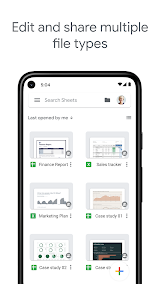
Google Sheets is a spreadsheet app by Google for Google Workspace, both business and personal. It enables users to create, modify, and interconnect data in a flexible and collaborative manner. Aptly described as cloud-based spreadsheet software, Google Sheets is an intuitive alternative to traditional spreadsheet programs like Microsoft Excel. Other features include real-time collaboration with bi-directional integration in those other Google services and access to files from any browser.
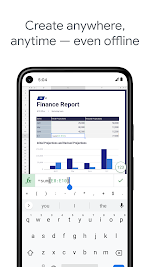
The accessibility of Google Sheets is one of its biggest benefits. And because it operates entirely in the cloud, users can pull up their spreadsheets from any device with internet access — a computer, tablet, or smartphone. No manual file transfers or software installations are required, and changes are automatically saved to Google Drive, which means you can't lose your work to a crash or a forgotten save.
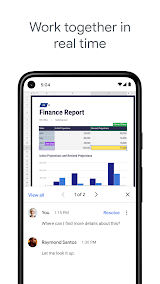
Collaboration is where Google Sheets really comes into its own. Several users can edit the same spreadsheet at once, with live updates of changes. Comments, suggestions, and chat features streamline work as a team, whether you're working through business projects, academic research, or personal budgeting. In addition, users have the ability to edit the sharing permissions which allows them to ensure who can view, edit, or comment on their sheets.
You can just use browser-based Google Sheets with the advanced functionality of the same like formulas, pivot tables, conditional formatting, and data validation. For more advanced analytics and automation possibilities, it also supports add-ons and integration with third-party tools. It also has the ability to import and export Excel files when needed.
To summarize, Google Sheets is an all-encompassing, low-maintenance data management software perfect for bright-eyed students, busy executives, and budding entrepreneurs. A critical part of modern productivity as well, with its unique cocktail of accessibility, collaboration, and super-powered features.
Features
 Data Visualization: Users can quickly visualize data using different charts including Horizontal and Vertical Bar Charts and Line Charts, Pie Charts, and Scatter Charts. They can also change the styles, colors and labels of the chart that you want. Dynamic Report with raw data in the from of graph and chart interactive and introduce and insights Raw data.
Ease of Use: It is extremely simple and allows users of all skill levels to jump into the action with ease. In-built features, templates, and add-ons to boost productivity and making the workflow seamless.
Cost-Effective: Google Sheets seems free for personal and small scale business requirements. Google Workspace subscriptions offer advanced features and extra storage.
Global Accessibility: Google sheets offer global accessibility to users, as it is worldwide infrastructure offered by Google. Google Sheets offers big brochures in powerful functionality without sacrificing user-friendliness, making it a great and versatile tool for both individuals and teams.
Data Visualization: Users can quickly visualize data using different charts including Horizontal and Vertical Bar Charts and Line Charts, Pie Charts, and Scatter Charts. They can also change the styles, colors and labels of the chart that you want. Dynamic Report with raw data in the from of graph and chart interactive and introduce and insights Raw data.
Ease of Use: It is extremely simple and allows users of all skill levels to jump into the action with ease. In-built features, templates, and add-ons to boost productivity and making the workflow seamless.
Cost-Effective: Google Sheets seems free for personal and small scale business requirements. Google Workspace subscriptions offer advanced features and extra storage.
Global Accessibility: Google sheets offer global accessibility to users, as it is worldwide infrastructure offered by Google. Google Sheets offers big brochures in powerful functionality without sacrificing user-friendliness, making it a great and versatile tool for both individuals and teams.
Advantage
 Collaboration: Google Sheets is famous for its collaboration feature, this can be extremely helpful when working on team projects or working from anywhere.
All-inclusive: Google Sheets large ecosystem which consists of Google Forms, Docs, Calendar, etc. Enabling users to access the spreadsheet from anywhere at any time.
Integration: Google Sheets offers great integration with other Google services, like Google Drive, Google Docs, and Google Forms. This series of interconnected tools increases productivity by empowering users to pull data from any number of different sources.
Powerful Features: Google Sheets provides many features, including data validation, conditional formatting, and pivot tables. These tools give users the ability to conduct advanced data analysis and reporting.
Collaboration: Google Sheets is famous for its collaboration feature, this can be extremely helpful when working on team projects or working from anywhere.
All-inclusive: Google Sheets large ecosystem which consists of Google Forms, Docs, Calendar, etc. Enabling users to access the spreadsheet from anywhere at any time.
Integration: Google Sheets offers great integration with other Google services, like Google Drive, Google Docs, and Google Forms. This series of interconnected tools increases productivity by empowering users to pull data from any number of different sources.
Powerful Features: Google Sheets provides many features, including data validation, conditional formatting, and pivot tables. These tools give users the ability to conduct advanced data analysis and reporting.
Shortcoming
 Limited Features: Google Sheets may not have all the advanced features and functionality found in premier desktop spreadsheet applications such as Microsoft Excel. Users that need more sophisticated data analysis may find its features lacking.
Performance Issues: Google Sheets can lag sometimes on performance, especially when working on very large spreadsheets. Which can be frustrating for users when still working with large datasets.
Limited Features: Google Sheets may not have all the advanced features and functionality found in premier desktop spreadsheet applications such as Microsoft Excel. Users that need more sophisticated data analysis may find its features lacking.
Performance Issues: Google Sheets can lag sometimes on performance, especially when working on very large spreadsheets. Which can be frustrating for users when still working with large datasets.
 Scanned by
Virus Total
Scanned by
Virus Total
Ratings
-
5

-
4
-
3
-
2
-
1
Disclaimer
 APKBBS does not directly participate in application distribution and does not hold shares of
application developers directly.
We provide images and links included in Google Play and App Store to help our users find the best
applications and games. All merchant trademarks and logos displayed on the website are the property of
their respective owners. The website is not affiliated with or associated with any of them.
APKBBS complies with the Federal Digital Millennium Copyright Act (DMCA) by responding to suspected
infringement notices that comply with DMCA and other applicable laws.
Every APK file that may be downloaded from APKBBS.com is also secure.
APKBBS does not directly participate in application distribution and does not hold shares of
application developers directly.
We provide images and links included in Google Play and App Store to help our users find the best
applications and games. All merchant trademarks and logos displayed on the website are the property of
their respective owners. The website is not affiliated with or associated with any of them.
APKBBS complies with the Federal Digital Millennium Copyright Act (DMCA) by responding to suspected
infringement notices that comply with DMCA and other applicable laws.
Every APK file that may be downloaded from APKBBS.com is also secure.
Hot Apps
 4.4
4.4
 4.3
4.3
 4.2
4.2
 4.5
4.5
 4.3
4.3
 4.5
4.5
 4
4
 4.8
4.8
 4.5
4.5
 4.5
4.5
 4.1
4.1
 4.3
4.3

Amazon Alexa
Duolingo: language lessons

Geeni
Nextdoor: Neighborhood network

Police Scanner - Scanner Radio

Shazam

SiriusXM: Music, Sports & News
TextNow: Call + Text Unlimited

Yuka - Scan de produits
WhatsApp Messenger

Google Chat

OfferUp: Buy. Sell. Letgo.

Fitbit
Tubi TV

Afterpay - Buy Now. Pay Later

Wyze - Make Your Home Smarter

SHEIN-Shopping Online
Signal

MyChart