


Editor Reviews
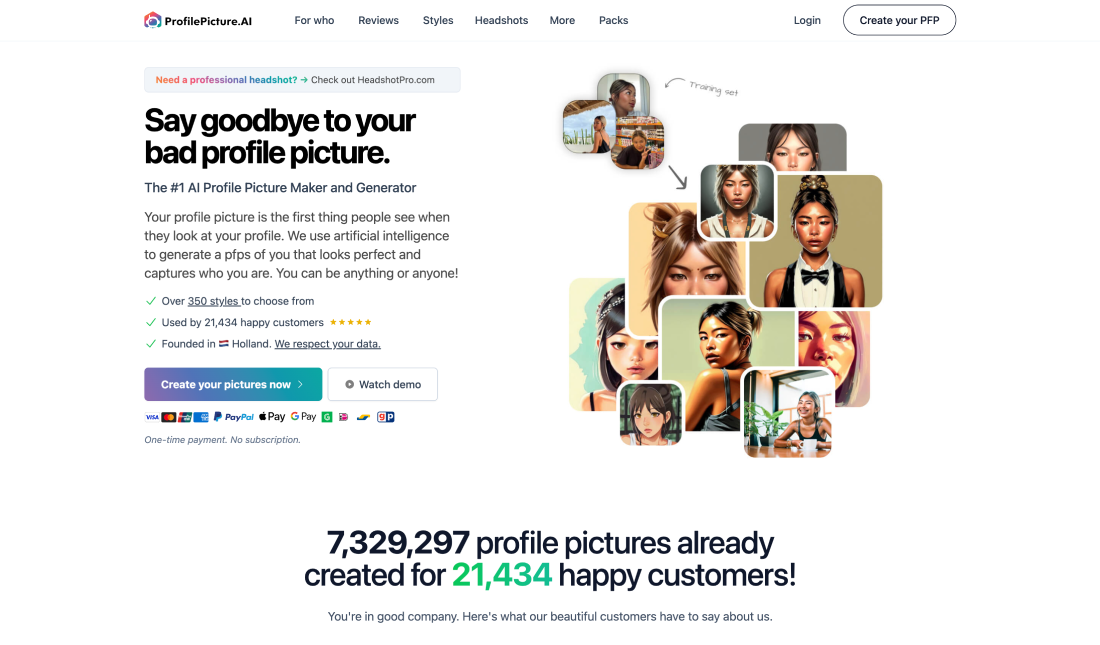
ProfilePicture.AI is a sophisticated artificial intelligence tool designed to create personalized profile pictures for various online platforms. As digital presence becomes increasingly important, users seek unique and professional images that reflect their personality and brand. ProfilePicture.AI leverages advanced algorithms to generate high-quality images that cater to individual preferences, making it a valuable asset for professionals, social media users, and anyone looking to enhance their online identity.
The tool operates by analyzing user-uploaded photos and applying machine learning techniques to create a range of stylized images. Users can choose from various artistic styles, backgrounds, and enhancements, allowing for a highly customizable experience. This flexibility is particularly appealing in a digital landscape where first impressions are often made through profile pictures. The AI’s ability to generate multiple variations means users can experiment with different looks without the need for extensive photo editing skills or hiring a professional photographer.
Moreover, ProfilePicture.AI addresses the growing demand for unique visuals in a world saturated with generic stock images. By providing a platform where users can create images tailored to their specific needs, it empowers individuals to stand out in their respective fields. Additionally, the tool is user-friendly, requiring minimal technical knowledge, making it accessible to a broad audience.
In fact, after utilizing ProfilePicture.AI, users are likely to find the experience both enjoyable and efficient. The interface is intuitive, guiding users through the process of uploading their photos and selecting desired styles. The AI-generated images are typically produced quickly, with most users receiving their customized pictures within minutes. This speed is particularly beneficial for those needing immediate updates to their online profiles.
The quality of the images is commendable, with many users reporting satisfaction with the final results. The AI’s ability to maintain facial features while applying artistic effects ensures that the images remain recognizable and professional. Furthermore, the variety of styles available means that users can align their profile pictures with their personal or professional branding, whether they prefer a more traditional look or something more avant-garde.
However, some users may experience limitations in the customization options. While the tool offers a range of styles, those seeking highly specific alterations might find the choices somewhat restrictive. Additionally, the reliance on AI means that results can vary; some users may receive images that do not meet their expectations, although the majority report positive outcomes.
As you can see, ProfilePicture.AI stands out as a valuable tool for anyone looking to enhance their digital presence with customized profile pictures. Its ease of use, quick output, and diverse artistic styles make it an attractive option for professionals and casual users alike. Despite some limitations regarding customization and variable results, the overall experience is positive, making it a worthwhile investment for those seeking to elevate their online image.
Features
1. Generates personalized profile pictures based on user-uploaded images.
2. Offers multiple styles, including cartoon, professional, and artistic renditions.
3. Produces images within minutes, making it ideal for urgent needs.
4. Simple navigation allows users of all skill levels to create images effortlessly.
5. Ensures that generated images are suitable for professional use across various platforms.
Advantage
1. Enables users to stand out with personalized profile pictures that reflect their individuality.
2. Eliminates the need for extensive photo editing or hiring a photographer, streamlining the image creation process.
3. Designed for users with varying levels of technical expertise, making it approachable for everyone.
4. Offers a wide range of artistic options, catering to different preferences and branding needs.
Shortcoming
1. Some users may find the available styles and features insufficient for specific needs.
2. Results can differ; while many are satisfied, some may receive images that do not meet their expectations.
3. The reliance on algorithms means that the tool may not always capture the nuances of individual preferences.
4. In a crowded market, some generated images may still resemble those created by other users, reducing uniqueness.